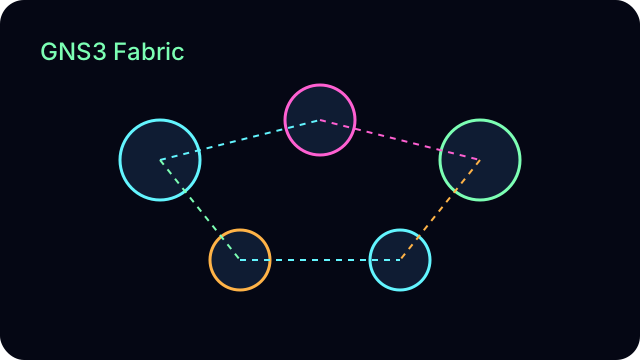
Live GNS3 topologies plus a live Containerlab + SONiC node for cloud-datacenter workflows.
WireGuard VPN provides secure remote access to the lab, and all traffic routes through a Caddy reverse proxy with automatic TLS termination.
Built by Graham Paasch – network automation engineer.
This AutoCon4 out-of-band lab runs GNS3 and Containerlab + SONiC side-by-side for modern cloud fabrics.
It exists to prove he can take a messy real-world network, model it cleanly, and automate it with production-grade tooling.
What this lab proves about me
This is my end-to-end automation lab: I designed the topology, built the GNS3 fabric, and deployed
a live containerlab + SONiC baseline. It exists to prove I can take a messy
real-world environment, define a source-of-truth, and ship
production-ready automation and documentation.
Network Access
How to Connect
Access the lab through WireGuard VPN on UDP port 51820. Once connected,
you'll be on the 10.66.6.0/24 management network with direct access to
lab nodes, jump hosts, and internal services. All public services route
through Caddy reverse proxy with automatic Let's Encrypt certificates.
Lab Topology
What's Running Now
• 41 network nodes across 4 zones (INT, WAN, FLOOR01, DATACENTER)
• Distribution layer: Arista vEOS switches with redundant pairs
• Access layer: Cisco IOSv switches and FortiGate firewalls
• OOB network: Dedicated management switches per zone
• Services: DHCP/DNS, jump hosts, VPN endpoints
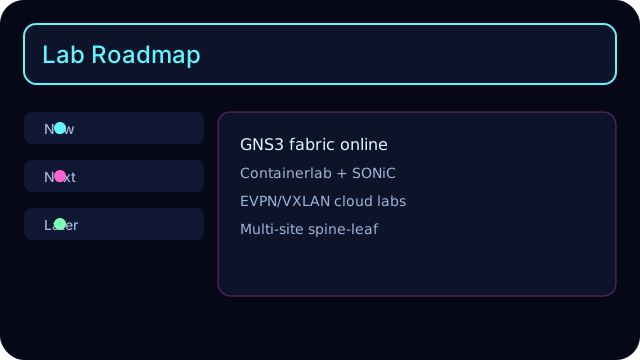
• Next target: Expand SONiC to a 2-spine / 4-leaf containerlab fabric
Infrastructure
Backend Services
• GNS3: v2.2.54 server on port 3080
• Containerlab (live): SONiC node deployed and reachable over SSH
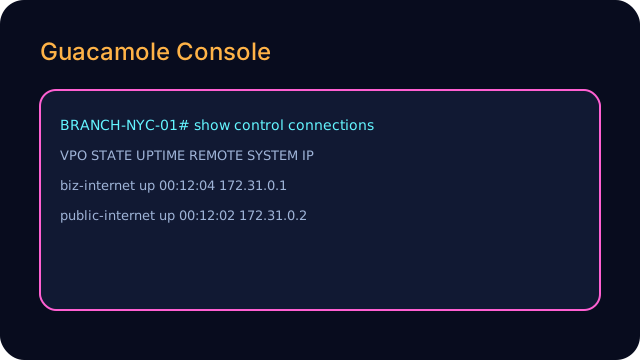
• Guacamole: Browser-based RDP/SSH access on port 8080
• MAESTRO: Automation host for Ansible, Nornir, Terraform
• Caddy: Reverse proxy with automatic HTTPS
• WireGuard: VPN server for secure remote access
For AutoCon4, the lab runs an Enterprise Campus/DC profile; the same automation patterns extend
to ISP, cloud, IoT, and industrial topologies.
MAESTRO is the out-of-band automation host for this lab. It runs Ansible, Nornir, and Terraform
against the current GNS3 fabric and live containerlab SONiC nodes, giving you a single place to drive
configuration, validation, and live demos.
Lab Roadmap
See what is live now: GNS3 plus a running Containerlab SONiC baseline, and the path to multi-node leaf/spine labs.
Every toggle on this page can be reproduced as code from MAESTRO, using the same Ansible,
Nornir, and Terraform you see in the Git repository. The lab is designed so that any topology
profile can be driven by the same automation patterns.
Topology overview: current Enterprise Campus/DC profile with redundant distribution pairs and
multi-zone access layers — one of several topologies MAESTRO can drive.
Pro tip: Use Ctrl+Click to open links in new tabs
Service Map
Paths & Ports (for lab maintainers)
For lab maintainers and operators; safe to skip if you’re just evaluating the project.
This section is for lab maintainers and operators. It captures file paths, ports, and
low-level details needed to keep the environment running.
• lab.grahampaasch.com → static site + Guacamole on 127.0.0.1:8080
• gns3.lab... → reverse proxy into 127.0.0.1:3080 with legacy path cleanup
• containerlab.lab... → static portal for SONiC containerlab entry + operator notes
• Automation repo lives at /home/gpaasch/autocon4 (inventory + templates)
• Favicons + assets shared from /srv/autocon4 for every hostname
• TLS certs minted 11 Nov 2025 via Let’s Encrypt’s E8 chain, good into Feb 2026
Operator Notes (for lab maintainers)
Operational notes for running and maintaining the lab day to day.
These notes are written for lab maintainers and operators, not first-time visitors. They
document operational quirks, troubleshooting tips, and things I learned while building MAESTRO.